
Webhook API
Basics
Webhook API allows controlling your Luxafor device by sending HTTP POST requests to API endpoints, allowing to integrate Luxafor with your own applications and services.
All API method endpoints are HTTPS URLs. The parameters to methods are passed as JSON in HTTP POST body. HTTP request header “Content-type: application/json” is required.The response body is JSON. It is possible to receive server error as HTTP status code other than 200 in response.
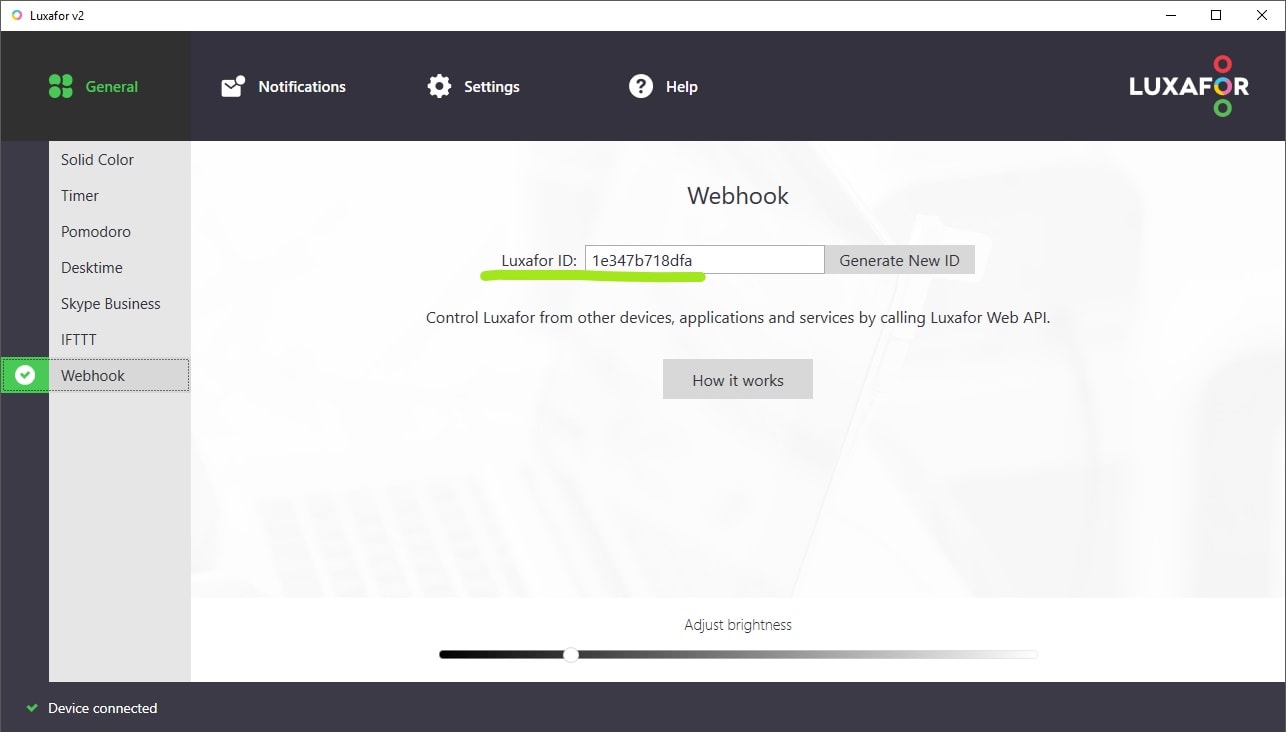
“userId” is your Luxafor ID and can be found on the “Webhook” tab in Luxafor software.
To turn Luxafor device off, use “Solid custom colour”and send the following code: 000000
Available Methods
Solid base color
API endpoint: https://api.luxafor.co.uk/webhook/v1/actions/solid_color
Request parameters:
{
“userId”: ,
“actionFields”:{
“color”:
}
}
Accepted colors: “red”, “green”, “yellow”, “blue”, “white”, “cyan”, “magenta”
Solid custom color
API endpoint: https://api.luxafor.co.uk/webhook/v1/actions/solid_color
Request parameters:
{
“userId”: ,
“actionFields”:{
“color”: “custom”,
“custom_color”: <6 symbol hex color code>
}
}
Blink
API endpoint: https://api.luxafor.co.uk/webhook/v1/actions/blink
Request parameters:
{
“userId”: ,
“actionFields”:{
“color”:
}
}
Accepted colors: “red”, “green”, “yellow”, “blue”, “white”, “cyan”, “magenta”.
Pattern
API endpoint: https://api.luxafor.co.uk/webhook/v1/actions/pattern
Request parameters:
{
“userId”: ,
“actionFields”:{
“pattern”:
}
}
Accepted patterns: “police”, “traffic lights”, “random 1”, “random 2”, “random 3”, “random 4”, “random 5”. Additional patterns accepted on Windows only: “rainbow”, “sea”, “white wave”, “synthetic”.